

Picture this: You're using a product, and something isn't behaving as expected. You stop what you're doing, switch to your browser and Google the problem (or you open ChatGPT to troubleshoot). You scan through results, hoping to find the company's community forum. You create a post, struggling to describe what you were doing - maybe you attach a screenshot. You wait. Eventually, someone responds. You switch back to your app and try to implement the fix.
This seven-step odyssey happens millions of times per day across every software product. We've normalized it. But as product managers, we should recognize it for what it is: a massive friction point that we've inherited from the forum era and never properly redesigned.
But the problem is not what most PMs think it is. The problem isn't that communities don't work. It's that we've built them in the wrong place.
The inherited constraint
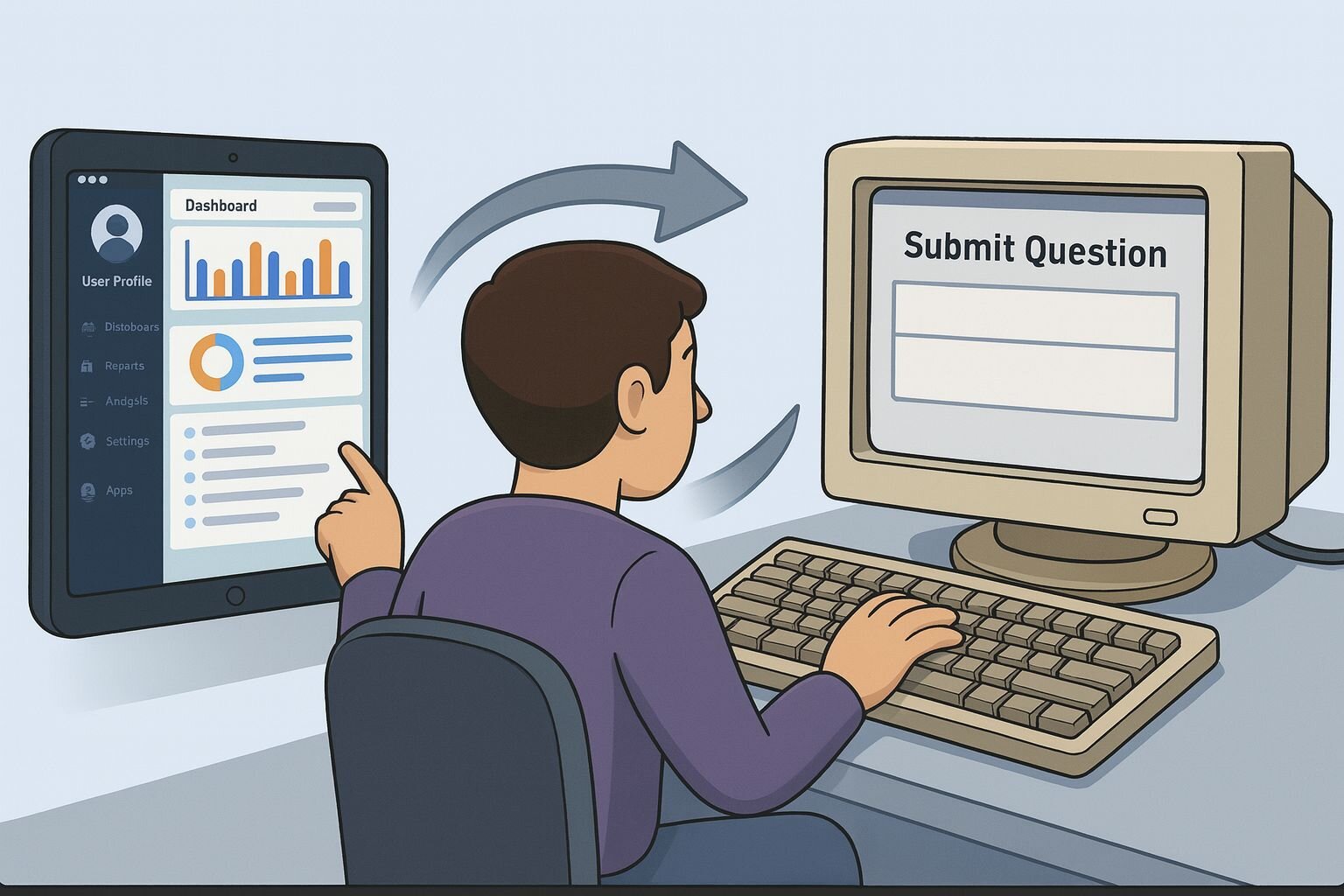
Most product teams treat community as something that lives adjacent to the product - a separate destination managed by support or marketing teams. Online communities predate modern software products, existing before SaaS, before mobile apps, before the expectation that everything should happen in one place.
But here's the issue: every time a user leaves your product to seek help, you're losing critical context. The user knows what they were doing, what features they had active, and what their settings were. But the moment they switch to an online forum or AI chat interface and try to articulate their problem in words, that context evaporates.
In my experience building community features for creative tools, I’ve noticed a persistent "vocabulary gap." A user might type "Why isn't this tool working?" into a forum. To an expert, that’s vague. But if we could see their screen, we’d instantly know: "You have a conflicting setting active." I realized that expecting users to accurately describe technical problems in text is a design flaw. We needed to stop asking users to translate visual problems into words.
This gap creates inefficiency for everyone. Community members have to play detective, asking follow-up questions: "What version are you using?" "Can you share your settings?" "What were you trying to do before this happened?"
As product managers, our job is to identify inherited workflows that no longer serve users and redesign them. Community support is overdue for that redesign.
Why AI doesn't solve the community problem
You might be thinking: "Don't AI chatbots solve this? We've integrated GPT-4 into our product."
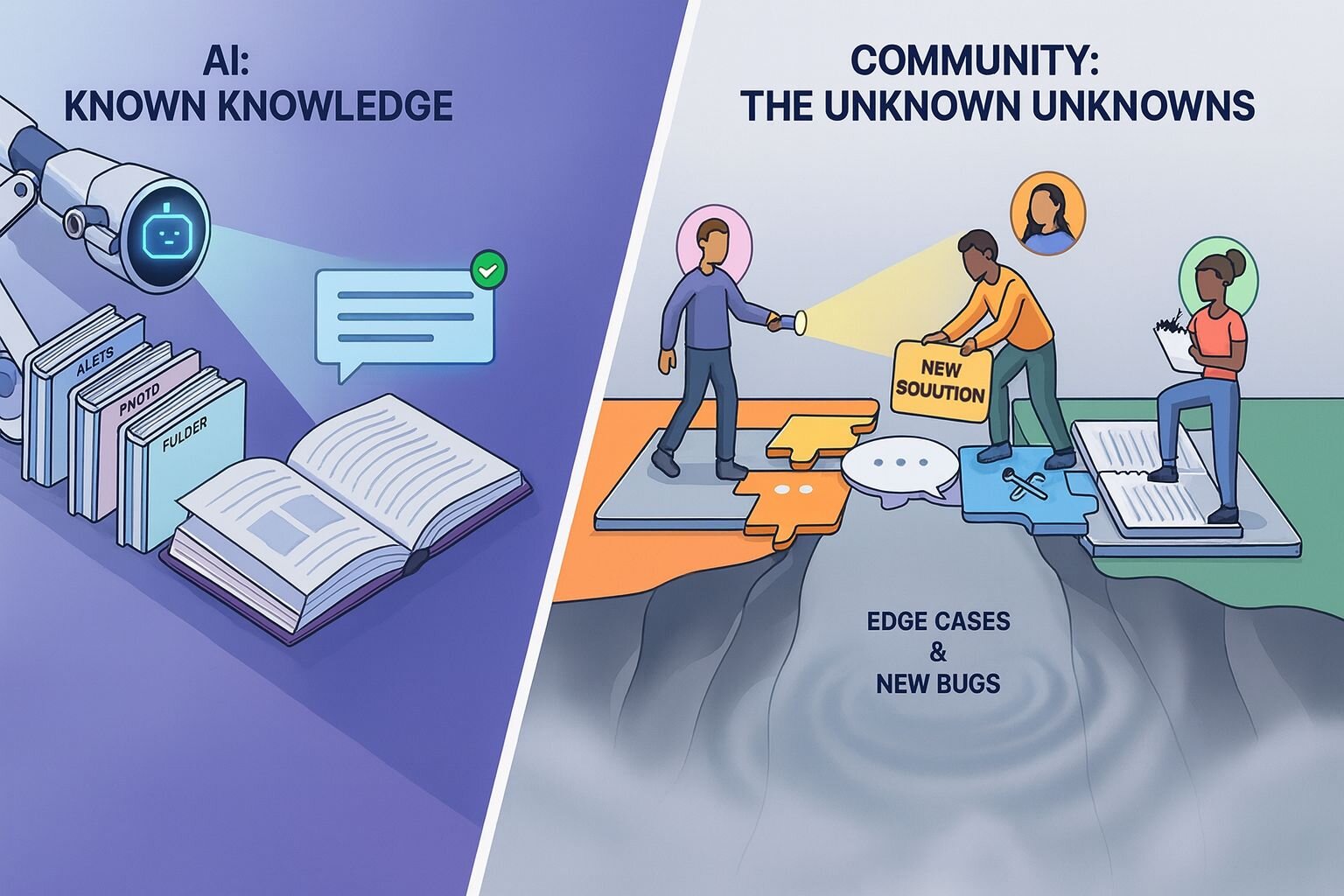
AI-powered support is valuable, but it addresses a different problem. AI excels at answering known questions - the ones already documented in your help articles or FAQs. If a user is confused about how a standard feature works, AI can surface the relevant documentation instantly.
But community support handles the unknown unknowns: edge cases that aren't documented, bugs that haven't been identified, workflows that interact in unexpected ways, or use cases your team never anticipated. These questions need human expertise - someone who's encountered the same problem, a power user who knows a workaround, or a product expert who can escalate a genuine bug.
More importantly, community support creates knowledge that AI can't generate. When a user posts a question and community members collaborate on a solution, you're creating documentation for problems you didn't know existed. This collective intelligence feeds back into your product roadmap, your documentation, and becomes retrievable knowledge for your AI systems.
The real opportunity isn't choosing between AI and community. It's integrating both natively into your product, preserving context for whichever support path the user needs.
What native, context-aware support looks like
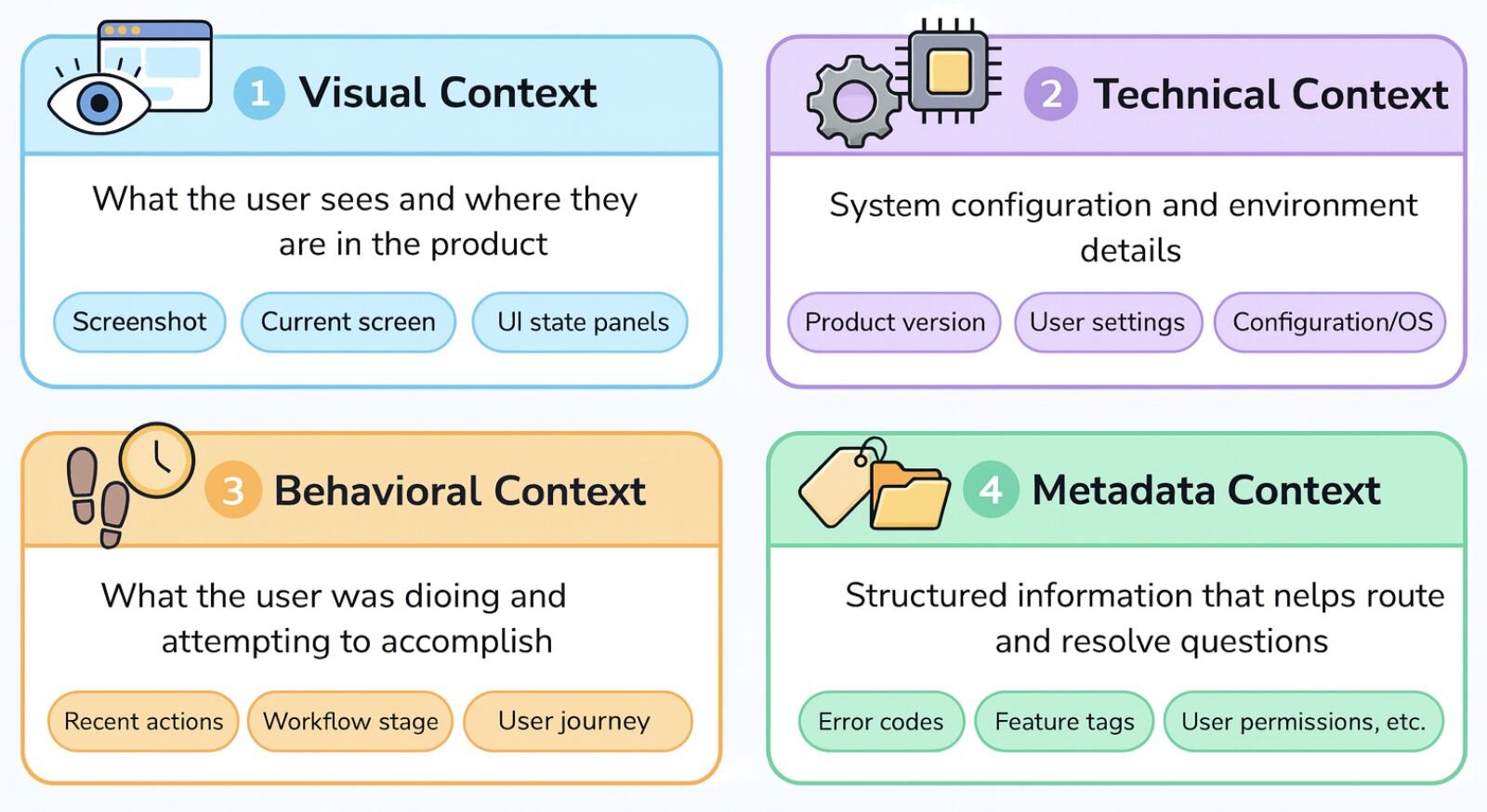
The solution is to stop thinking of community as a destination and start treating it as a native feature - one that lives inside your product and preserves user context.
Instead of the seven-step journey, imagine this: A user hits a problem. They click an "Ask community" button right in the interface where they're stuck. The product automatically captures a screenshot of their current state and suggests relevant tags based on the features they're using. The user adds a quick description and submits. They continue working. When someone responds, they get an in-app notification, click it, and apply the fix without ever leaving their workflow.
This pattern works across product categories. In a project management tool, the integration might capture the user's current view, filters, and workflow stage. In a data analytics platform, it might include the query they're running and the dataset structure. In a financial application, it might capture the transaction type and account settings.
The key insight: the product can do the heavy lifting. Users struggle to describe technical problems because they don't know what information is relevant. A well-designed native community feature captures context automatically - what screen the user is on, what features they were using, their version, their settings, their recent actions. This turns the vague question "Why isn't this working?" into a rich, contextual query that community members can actually answer efficiently.
This same principle applies to all support: documentation should appear alongside features based on what the user is doing, not requiring switching to a separate site. Onboarding should teach concepts within actual workflows, not separate tutorial environments. Support chatbots should understand what screen the user is on. Feedback systems should capture the user's actual journey instead of asking them to describe it.
Every time we force a context switch, we're introducing friction. The most effective support is deeply integrated with the product itself.
Making this actionable
Here's how to start:
Map your current support friction. Track a user journey from encountering a problem to resolving it. Measure time spent, number of context switches, and points where users manually recreate information the product already knows. For example, how long it takes a user to go from encountering an error message, searching your forum, finding a relevant thread, reading through 15 comments to find the solution, and returning to implement it.
Identify where context gets lost. For each step, ask: what information does the user have that they'll lose when they move to the next step? When a user leaves your product to ask for help on your forum, they lose their current screen, their settings, their recent actions, and their configuration. They have to manually type all of this into their question - information your product already knows.
Design native features that preserve context. Start with the highest-friction handoff - usually when users leave your product to seek help. Build a lightweight integration that captures relevant context and makes asking questions easy without switching environments. For example, an "Ask community" button next to an error message could automatically include the error code, the user's current workflow state, and their product version - turning "Why isn't this working?" into a fully-contextualized question that community members can answer immediately.
Metrics that drive success
Track metrics that reflect both user experience and business impact:
Time from problem to resolution: The end-to-end journey from when a user gets stuck to when they're unblocked. This should decrease significantly with native integration as you eliminate context switches and reconstruction time. This is your north star metric.
First response resolution rate: Percentage of questions answered satisfactorily by the first response. Should increase significantly with better context, as community members won't need multiple back-and-forth exchanges to understand the issue.
In-flow resolution rate: Percentage of users who resolve their issue without leaving the product. Measures whether your native integration actually keeps users in their workflow.
Feature adoption rate after support: Compare users who overcome obstacles via community versus those who abandon features. This connects support directly to product success and activation.
Unknown issue discovery rate: New bugs or edge cases surfaced through the product community that weren't in your documentation. Measures the knowledge-creation value of your community that feeds back into your product.
The competitive advantage
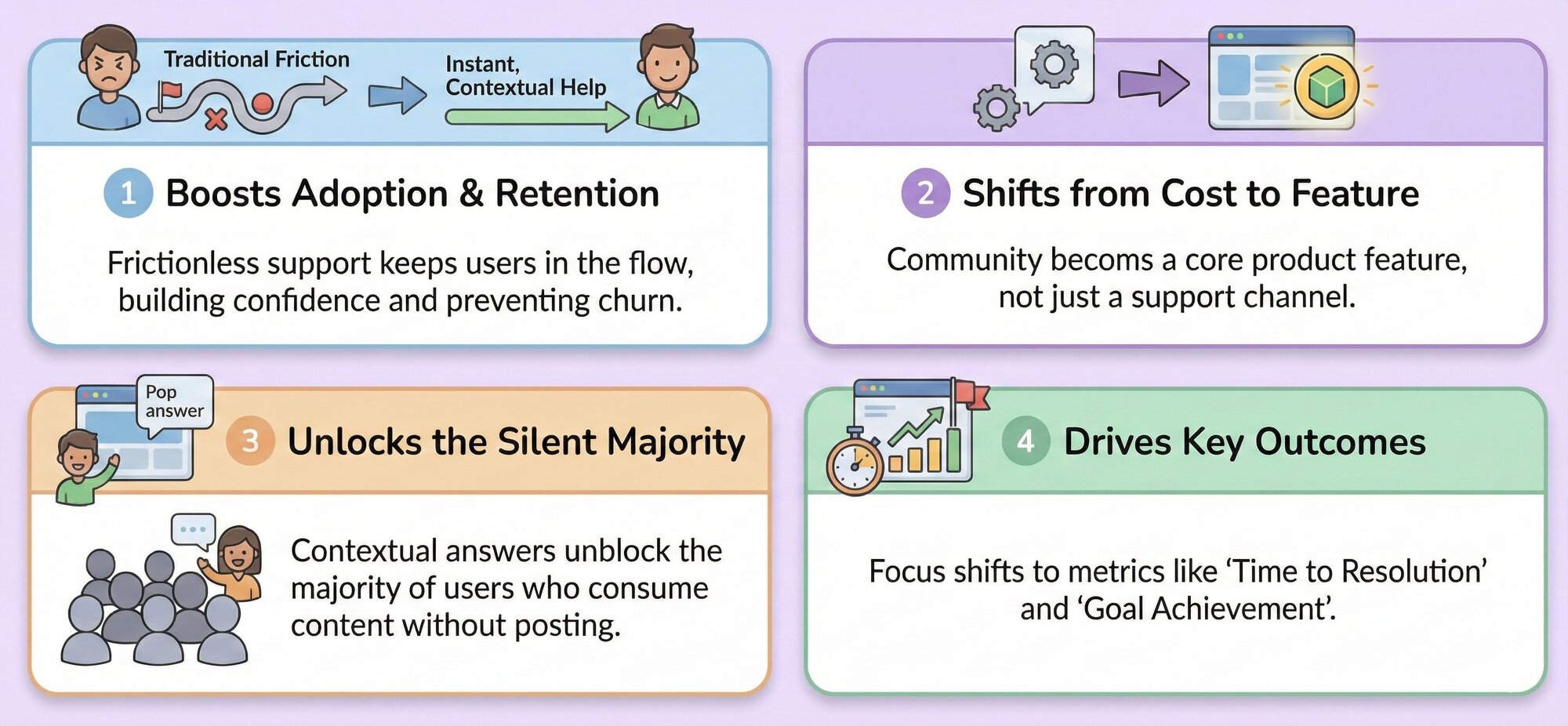
Support friction is a product adoption barrier. When users hit problems early in their journey and face a seven-step support odyssey, many give up. They assume the product is too complex.
But when help feels instant and contextual - when users can ask a question without leaving their flow - they persist through obstacles. They build confidence. They explore advanced features because they know help is one click away.
This shifts the community from a cost center to a product feature. When we analyze community behavior, it's easy to focus on the active posters. But in building in-app integrations, I found that the "silent majority" is where the scale lies. Most users will never write a post. However, if we surface existing community answers inside the tool right when an error occurs, we unblock those users who consume content without posting.
The metric isn't just "number of questions answered." It's "time from problem to resolution" and "percentage of users who overcome obstacles and reach their goals."
Your challenge
The next time you see a user struggling with your product, don't just watch them leave the product to Google the answer or ask an AI chatbot. Recognize it as a design opportunity. Ask yourself: what would it take to bring that answer to them, in context, without breaking their flow?
Your product community shouldn't be somewhere users go. It should be something that's already there when they need it.
